> ## Documentation Index
> Fetch the complete documentation index at: https://docs.featpaper.com/llms.txt
> Use this file to discover all available pages before exploring further.
# Set Up a Lead Form
> Learn how to set up a lead form that collects visitor information before they access your document.
## What Is a Lead Form?
A lead form is a form that viewers must fill out before accessing a document. You can collect visitor information such as names and email addresses and manage it alongside document analytics data.
To apply a lead form to documents shared from your workspace (space links), you **must set it up per document in the Motion Editor**. Space-level lead form settings do not apply to space links.
***
## Adding a Lead Form
From the document detail page, click the **Edit document** button to open the Motion Editor.
In the left sidebar, click the **Add Leadform** button to create a lead form.
***
## Setting the Form Position
The lead form marker appears between page thumbnails in the left sidebar. **Drag** the marker to move it between the desired pages.
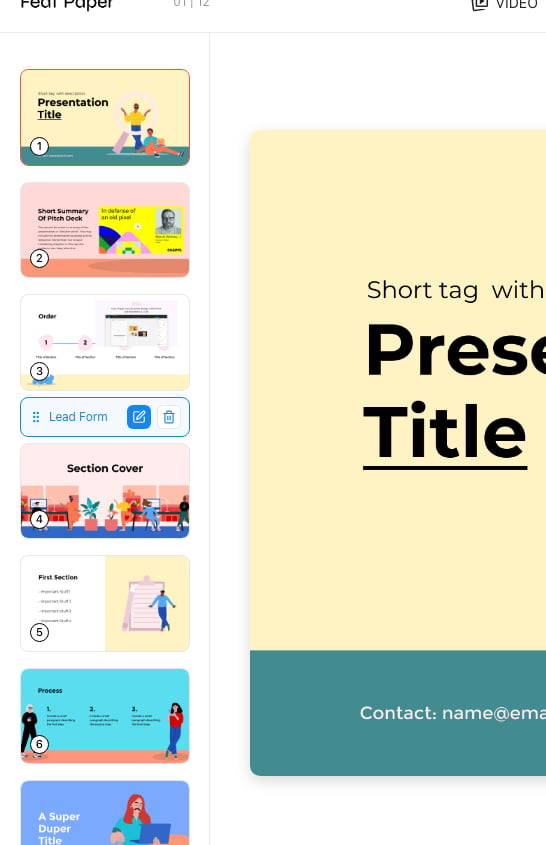 The form is displayed to viewers **before the page following the marker position**. For example, if you place the marker between pages 3 and 4, the form appears when the viewer navigates to page 4.
***
## Configuring the Form
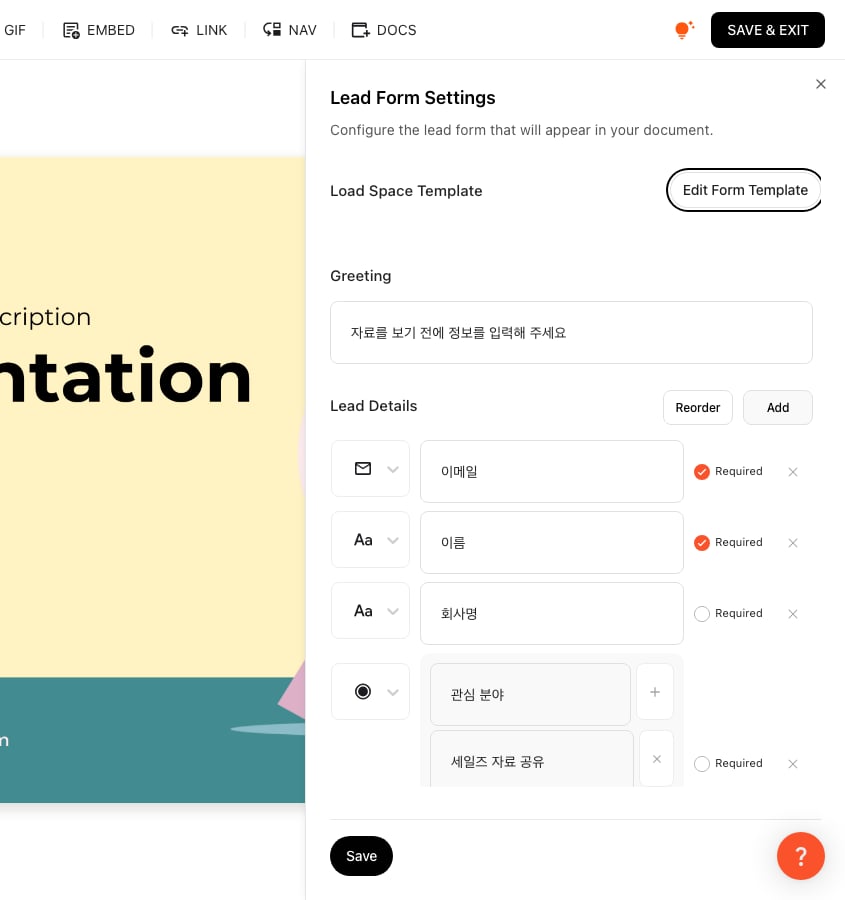
Selecting the lead form opens a settings panel on the right side.
The form is displayed to viewers **before the page following the marker position**. For example, if you place the marker between pages 3 and 4, the form appears when the viewer navigates to page 4.
***
## Configuring the Form
Selecting the lead form opens a settings panel on the right side.
 ### Load from Templates
You can load lead form templates saved in your space. Saving frequently used form configurations as templates makes repeated setup convenient.
### Load from Templates
You can load lead form templates saved in your space. Saving frequently used form configurations as templates makes repeated setup convenient.
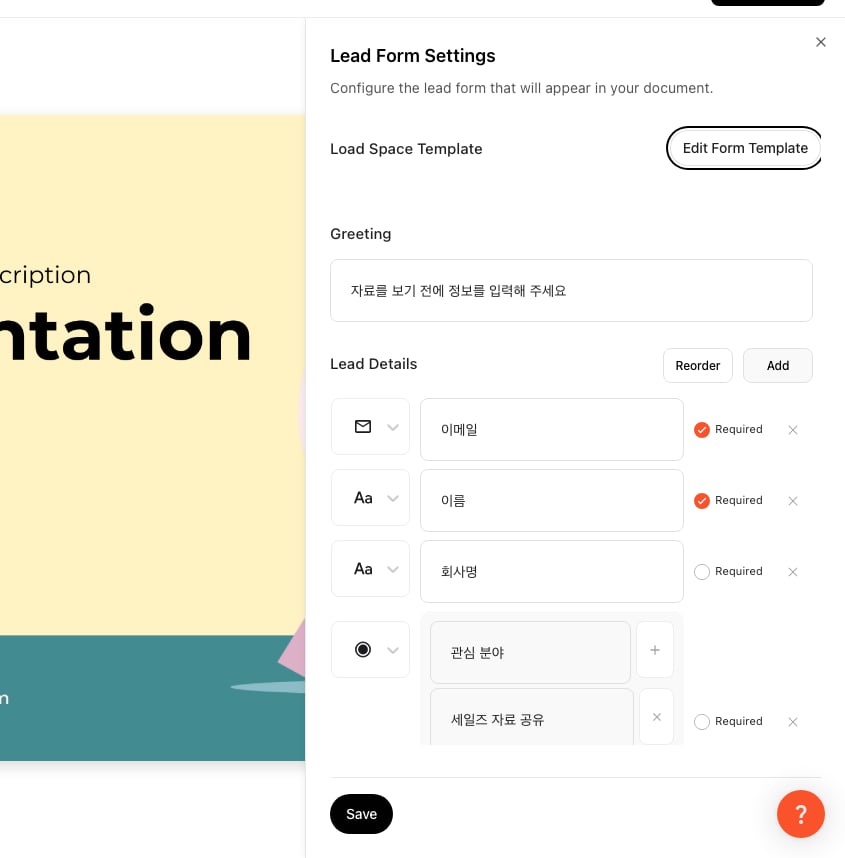 ### Title and Description
* **Title**: Enter the title displayed at the top of the form.
* **Description**: Enter a purpose statement or instruction text for the form.
### Adding Fields
You can add the following field types:
### Title and Description
* **Title**: Enter the title displayed at the top of the form.
* **Description**: Enter a purpose statement or instruction text for the form.
### Adding Fields
You can add the following field types:
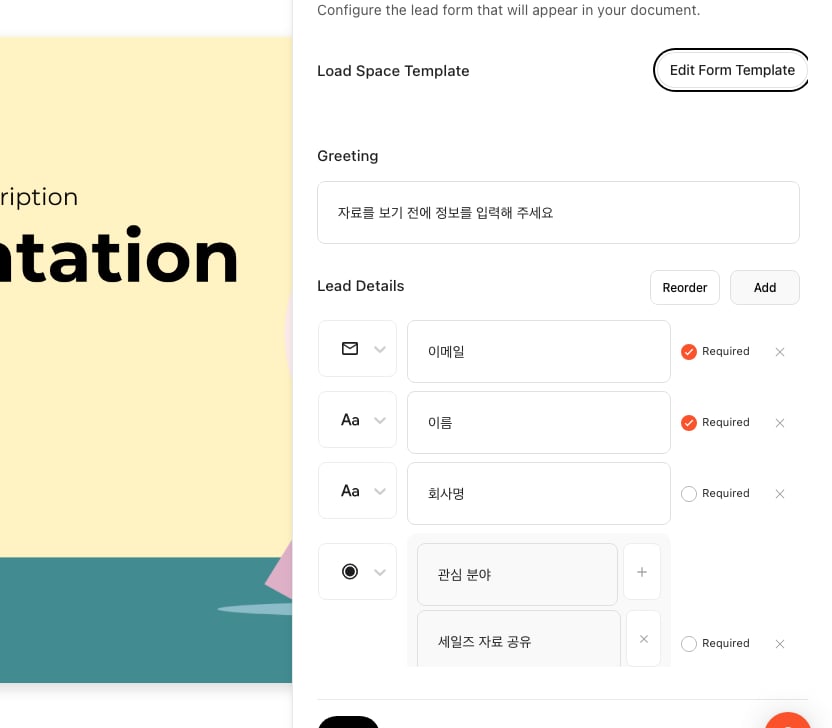 | Field Type | Description |
| ------------ | ---------------------------------------------------------------------- |
| **Email** | Collects an email address. Format validation is applied automatically. |
| **Text** | Collects free-form text such as name or company. |
| **Checkbox** | Allows selecting multiple options, useful for consent items. |
| **Radio** | Allows selecting one option from multiple choices. |
### Required Field Setting
Toggle the **required** setting on a field to make it mandatory for viewers to fill in.
### Agreement Text
You can add legal text such as consent for personal data collection.
***
## Viewer Experience
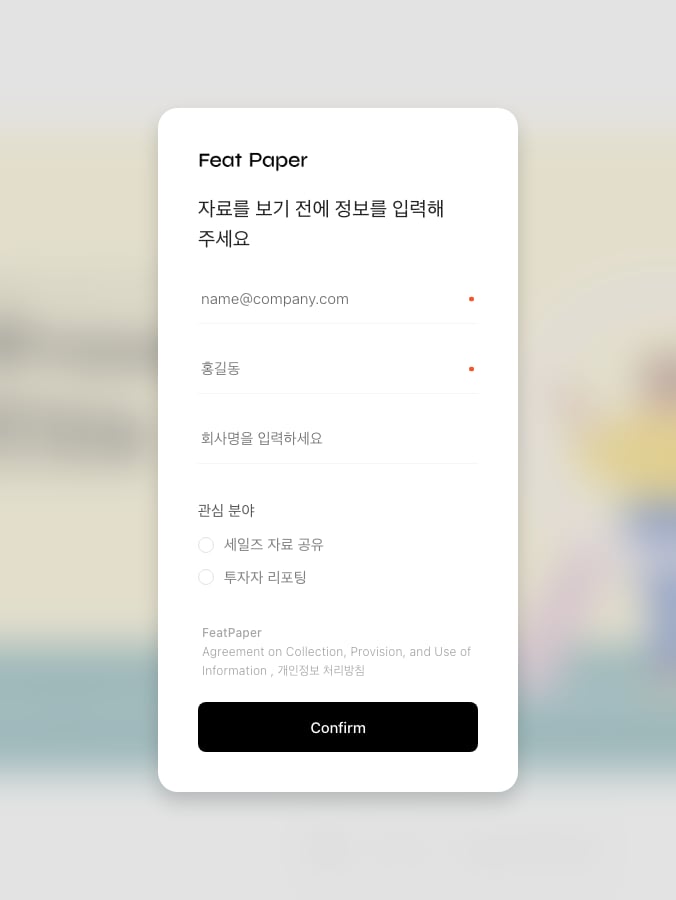
When a viewer opens a document with a lead form, the form is displayed at the configured position. The viewer **must complete the form to access the subsequent pages**.
| Field Type | Description |
| ------------ | ---------------------------------------------------------------------- |
| **Email** | Collects an email address. Format validation is applied automatically. |
| **Text** | Collects free-form text such as name or company. |
| **Checkbox** | Allows selecting multiple options, useful for consent items. |
| **Radio** | Allows selecting one option from multiple choices. |
### Required Field Setting
Toggle the **required** setting on a field to make it mandatory for viewers to fill in.
### Agreement Text
You can add legal text such as consent for personal data collection.
***
## Viewer Experience
When a viewer opens a document with a lead form, the form is displayed at the configured position. The viewer **must complete the form to access the subsequent pages**.
 Collected information can be reviewed on the document analytics page.
***
## Deleting a Form
Select the lead form marker in the left sidebar and delete it to remove the form. Click **SAVE & EXIT** to save your changes after deletion.
Deleting a lead form does not remove data that has already been collected.
Collected information can be reviewed on the document analytics page.
***
## Deleting a Form
Select the lead form marker in the left sidebar and delete it to remove the form. Click **SAVE & EXIT** to save your changes after deletion.
Deleting a lead form does not remove data that has already been collected.