> ## Documentation Index
> Fetch the complete documentation index at: https://docs.featpaper.com/llms.txt
> Use this file to discover all available pages before exploring further.
# Understanding Access Permissions
> Learn about the access permission structure for documents and folders.
## Folder-Based Permission Structure
In FeatPaper, **document access permissions follow the permissions of the folder the document belongs to.** Individual permission settings per document are not currently supported. Team members invited to a folder can access all documents within that folder.
| Structure | Description |
| ---------------------- | -------------------------------------------------------------------------------------------- |
| **Folder permissions** | Team members invited to a folder can access all documents within it. |
| **Subfolders** | Subfolders inherit the permissions of their parent folder. |
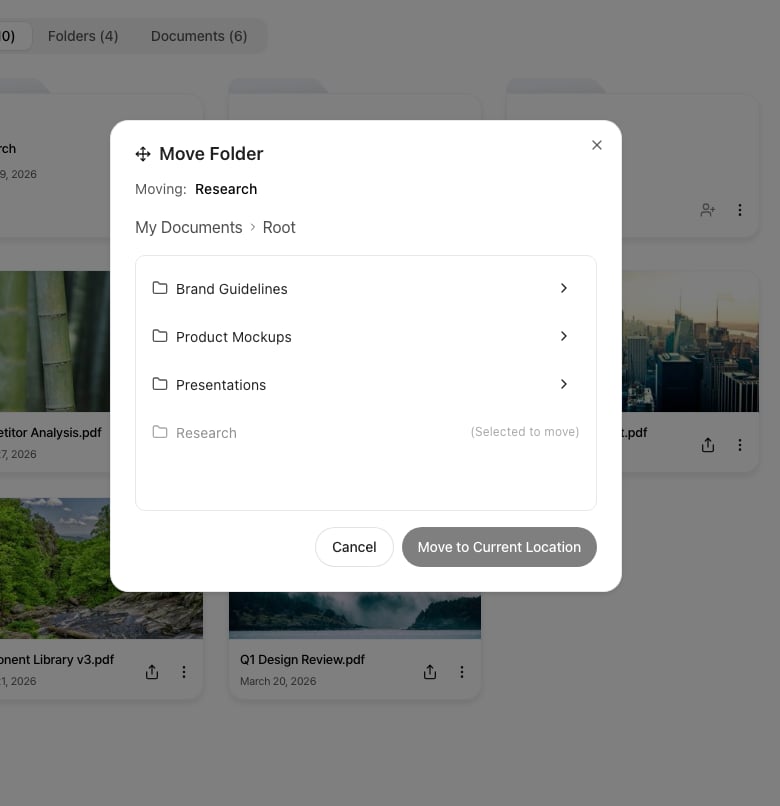
| **Moving documents** | When a document is moved to another folder, the permissions of the destination folder apply. |
When you move a document or folder, the access permissions from the original folder are removed and the permissions of the new folder apply. Review the impact of permission changes before moving.
 ***
## Folder Permission Types
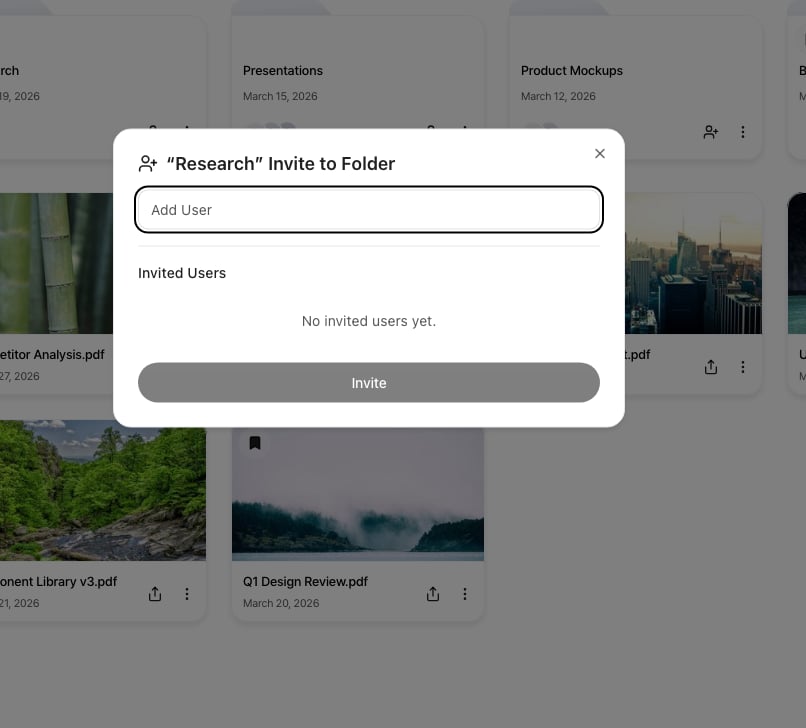
Two permission levels can be assigned to team members invited to a folder.
| Feature | Viewer | Admin |
| ----------------------------- | :----: | :---: |
| View documents in folder | O | O |
| Upload and edit documents | X | O |
| Upload new versions | X | O |
| Create share links | X | O |
| Invite team members to folder | X | O |
***
## Folder Permission Types
Two permission levels can be assigned to team members invited to a folder.
| Feature | Viewer | Admin |
| ----------------------------- | :----: | :---: |
| View documents in folder | O | O |
| Upload and edit documents | X | O |
| Upload new versions | X | O |
| Create share links | X | O |
| Invite team members to folder | X | O |
 ***
## Share Links and Access Permissions
Sharing documents externally via share links is separate from folder access permissions.
* **Share links**: Anyone with the link can view the document. (Lead capture forms can be configured.)
* **Folder permissions**: Controls the scope of dashboard access for team members within the workspace.
***
## Per-Document Access Control (Coming Soon)
A feature to restrict document viewers per document is under development. Both **whitelist** (allow only specific users) and **blacklist** (block specific users) methods will be supported, and can be configured from the **Settings panel** on the document detail page.
***
## Share Links and Access Permissions
Sharing documents externally via share links is separate from folder access permissions.
* **Share links**: Anyone with the link can view the document. (Lead capture forms can be configured.)
* **Folder permissions**: Controls the scope of dashboard access for team members within the workspace.
***
## Per-Document Access Control (Coming Soon)
A feature to restrict document viewers per document is under development. Both **whitelist** (allow only specific users) and **blacklist** (block specific users) methods will be supported, and can be configured from the **Settings panel** on the document detail page.