
What Is the Credit System?
FeatPaper uses a credit system to track AI feature usage. Credits are deducted each time you use an AI feature, and you can check your current usage in Settings.Credits are managed at the workspace level. All members within the same workspace share the credit pool.
Features That Use Credits
Credits are deducted for the following AI features.Suggested questions are charged only once per day. For the same link and the same date range, closing and reopening the sidebar or refreshing the page does not incur another deduction on that day. Credits are charged again when the day changes or you change the date range.
Re-analyzing the same document for the same viewer does not cost extra. The previously generated result is reused. Credits are charged again only when you replace the document with a new version or run a new analysis on new viewing data.
Basic features such as document uploads, share link creation, and plugin exports do not use credits.
Credits per Analysis
The credits used for a single analysis vary with the size of the document. The more content there is to analyze, the more credits are deducted. As a rough guide:- One analysis of a large document: about 20–25 credits
- A single short question: considerably less than that
You can check the exact amount deducted for each entry in the detailed usage records under Settings > Usage.
Credits by Plan
Credits are renewed every month. Paid plans renew based on the billing cycle, and the free plan renews based on the sign-up date.
Checking Usage
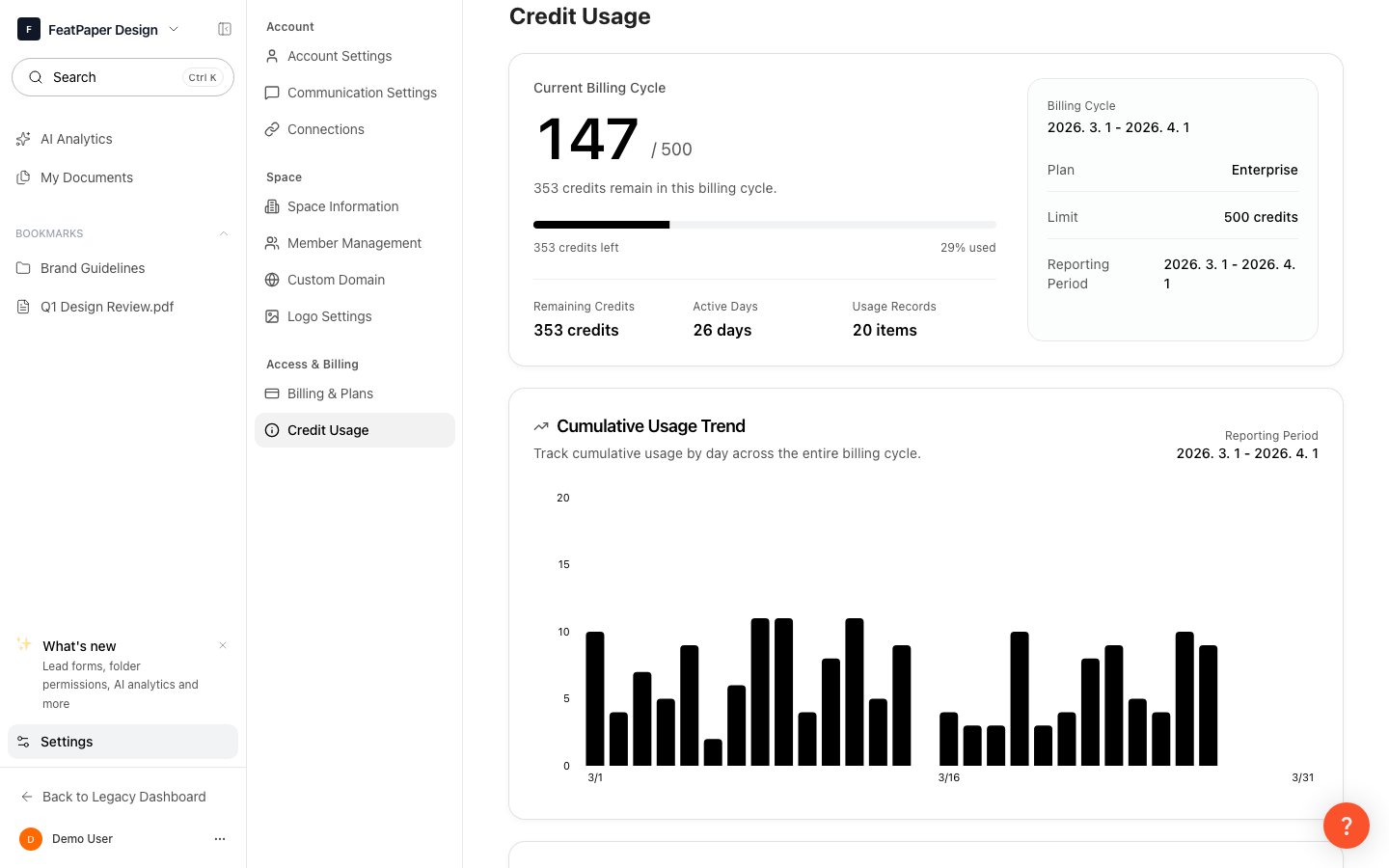
Check credit usage in Settings > Usage
1
Go to Settings
Click Settings at the bottom of the sidebar.
2
Select the Usage tab
In the Settings screen, select the Usage tab.
3
Review usage by feature
Check the usage and remaining credits for each AI feature.
Daily Usage History
You can view recent credit usage trends through the daily graph in the Usage tab. Each entry includes the following information:- Timestamp: The time the credits were deducted
- Feature type: The AI feature that used the credits (AI analysis questions, AI engagement score & AI summary, and so on)
- Amount: The number of credits deducted
- User: The member who used the credits
Purchasing Credits
If your current plan’s credits are running low, you can purchase additional credits from Settings > Usage.Unused credits do not carry over to the next month.