Plan Comparison
FeatPaper offers a variety of subscription plans to match your usage needs.
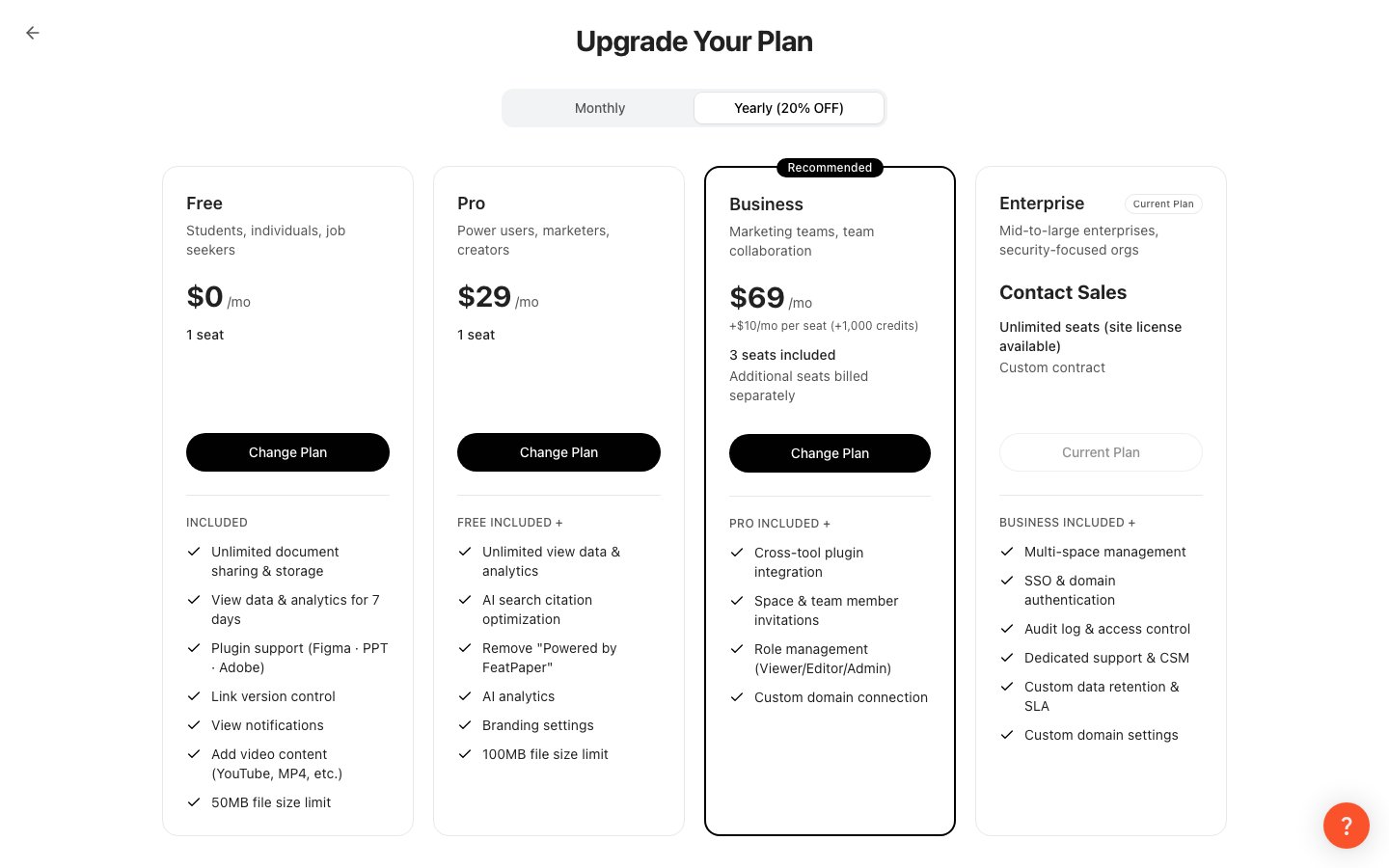
| Feature | Free | Pro | Business / Enterprise |
|---|
| Analytics retention period | 7 days | Unlimited | Unlimited |
| AI Analytics | X | O | O |
| AI Mobile Conversion | X | O | O |
| Branding settings | X | O | O |
| CTA channels | X | 5 | Custom |
| Cross-document linking | X | O | O |
| Figma plugin | X | O | O |
| Express plugin | X | O | O |
| PowerPoint plugin | X | O | O |
| Zapier integration | X | O | O |
| Member invitation | X | X | O |
| Custom domain | X | X | O |
| Invoice billing | X | X | O |
Key Differences
Free
Pro
Business / Enterprise
A free plan to get you started.
- Analytics data is retained for the last 7 days only.
- Plugins and external integrations are not available.
A plan for individual users who need advanced features.
- Analytics data is retained indefinitely.
- AI features like AI Analytics and AI Mobile Conversion are available.
- Cross-document linking allows you to connect documents to each other.
- All plugins (Figma, Express, PowerPoint) and Zapier integration are available.
A plan for organizations that need team collaboration.
- Member invitation lets you share the workspace with your team.
- Custom domain connection is available.
- Invoice billing and custom feature discussions are available.
Changing Your Plan
Go to Settings
Click Settings at the bottom of the sidebar.
Select the Plan tab
In the Settings screen, select the Plan tab.
Choose a plan
Click the Upgrade or Change button for the plan you want.
Complete payment
Enter your payment information and complete the subscription.
When downgrading, features exclusive to your current plan (plugins, cross-document linking, etc.) may be deactivated. Be sure to review before making changes.
Payment Methods
FeatPaper processes payments through LemonSqueezy.
| Payment Method | Description |
|---|
| Credit Card | Major cards including Visa and Mastercard |
| PayPal | Payment via PayPal account |
| Invoice | Enterprise plan only; invoiced after separate arrangement |
Payment history can be viewed under Settings > Billing, where you can also download receipts.