
Analytics Dashboard
After sharing a document, you can monitor viewer behavior data in real time. Click on a document to navigate to the analytics dashboard.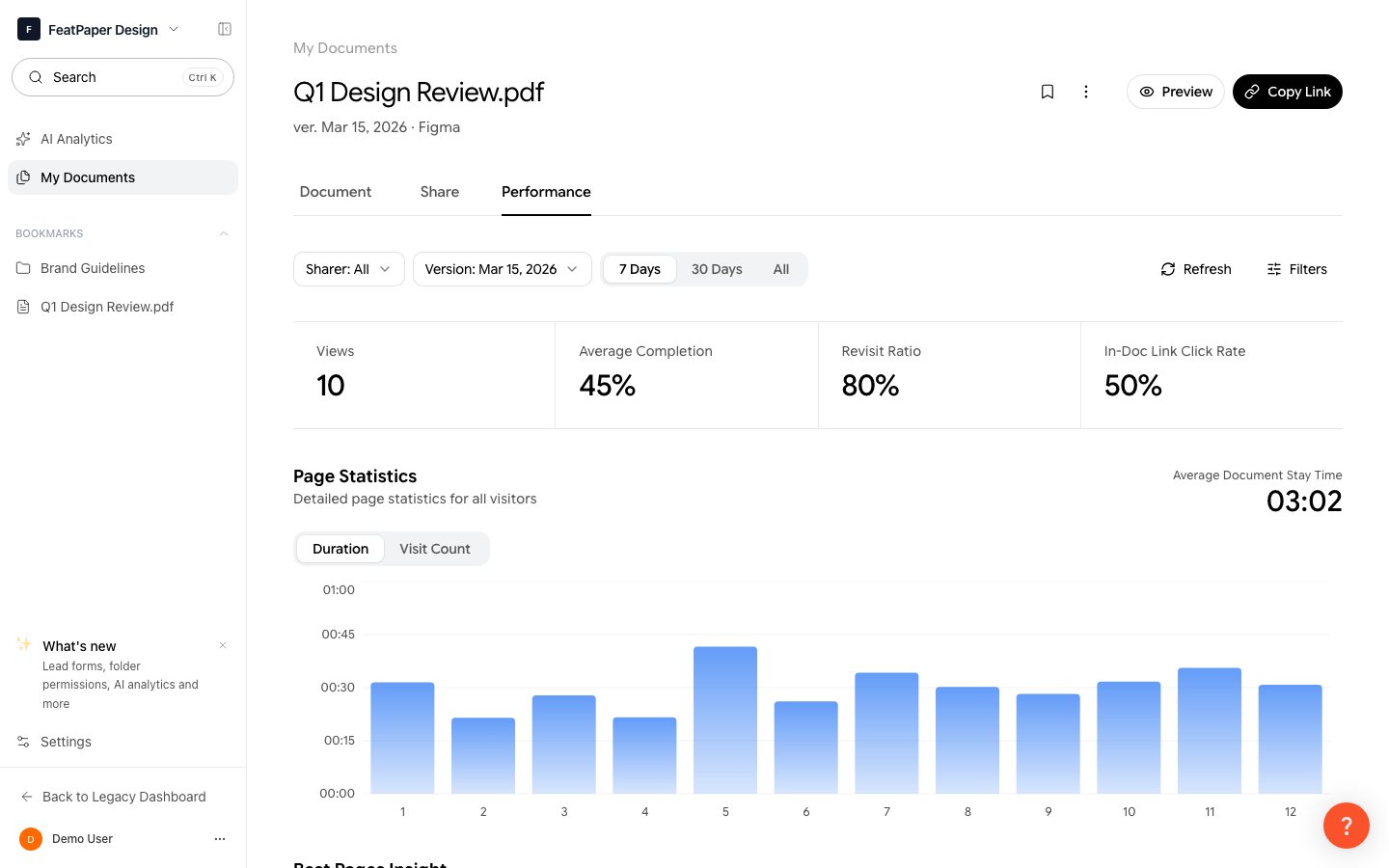
Document viewing analytics dashboard
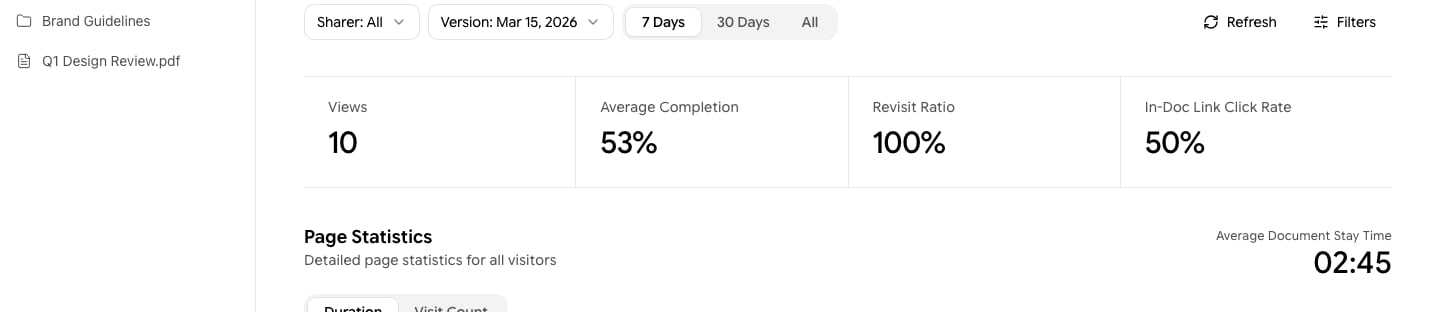
Review core metrics such as views, visitors, and read time at a glance
Data Access by Permission
The scope of analytics data you can view depends on your permission level for the parent folder of the document.Key Metrics
Visitors who viewed the document without signing in are displayed as Anonymous.
Filters
You can filter data by various conditions using the filter panel at the top of the analytics dashboard.
Narrow analytics data by period, sharer, version, and referrer
Feedback Analysis
Viewer engagement is automatically classified into three tiers based on reading patterns. This is not feedback left directly by viewers — it is an automatic classification based on the reading rate (percentage of pages read).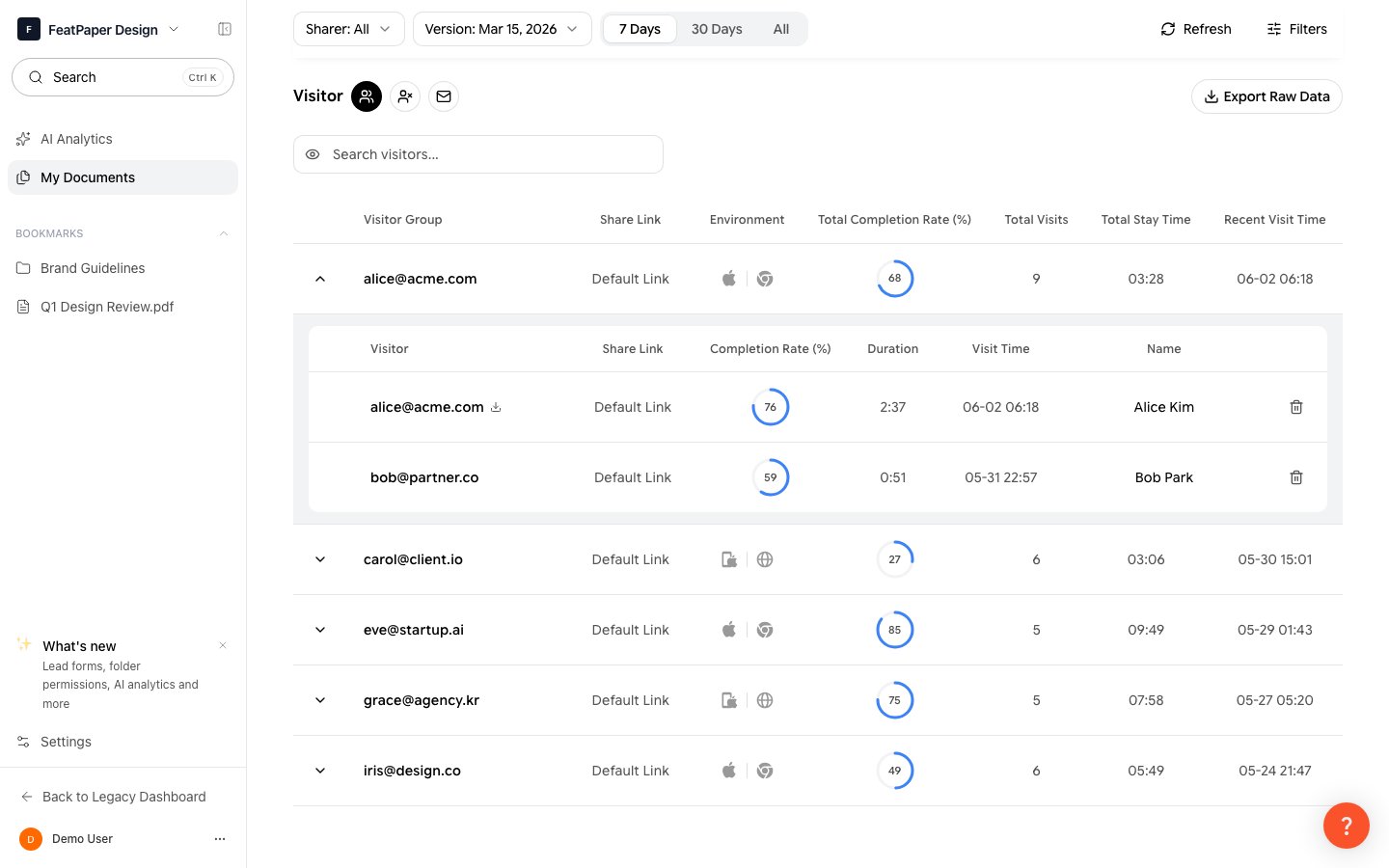
Review each visitor's reading status and engagement level
A page is counted as read only when the viewer has spent at least 0.5 seconds on it.
Analytics Sections
The following sections are available in the analytics dashboard.Sources
See where visitors came from. Traffic is broken down by referrer domain, including direct access, email, and specific websites.Geography
View the distribution of visitors by country and city based on GeoIP data.Devices
View visitor access environments across three dimensions.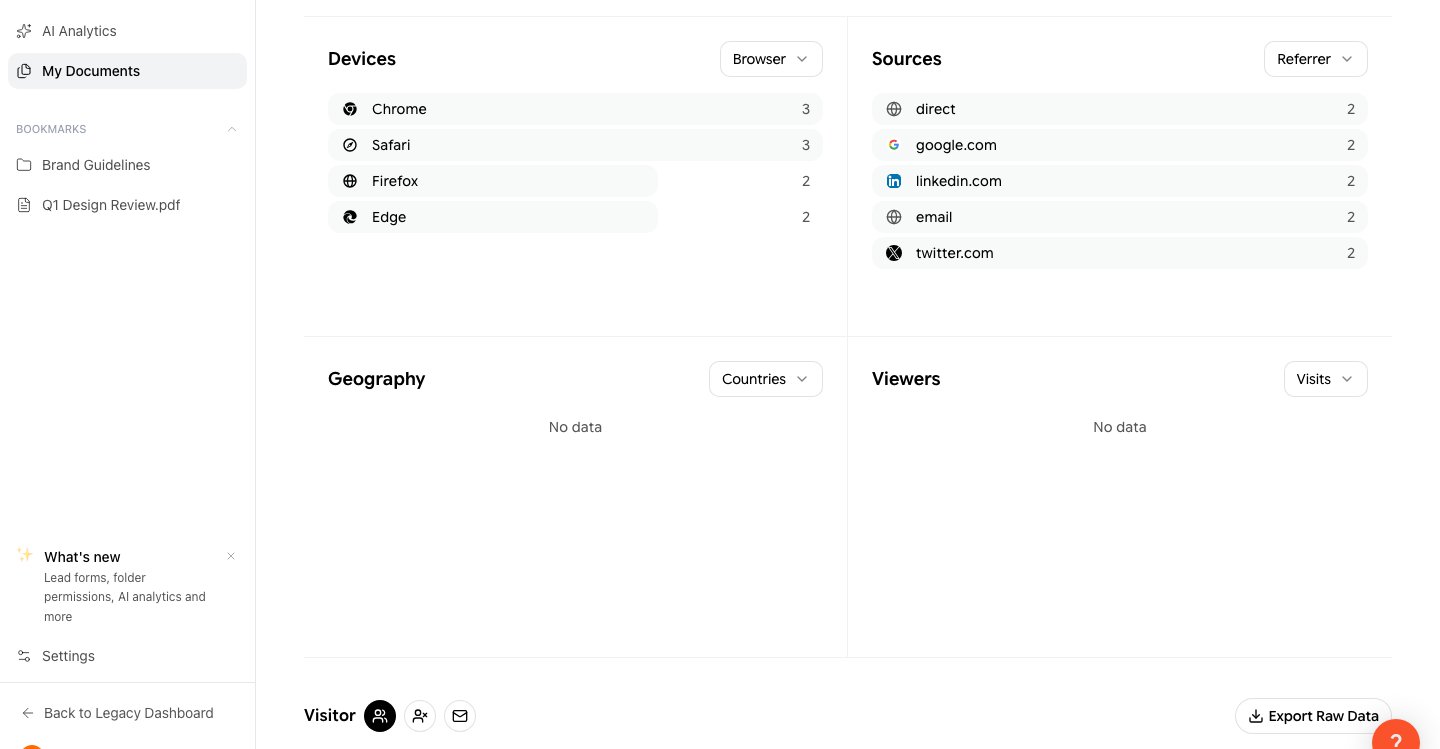
Check access environments by browser, operating system, and device type
Page-Level Analytics
Analyze the viewing patterns for each page. Identify which pages attracted the most attention and where viewers dropped off.AI Analytics
Access AI-powered document insights from the AI Analytics menu in the sidebar.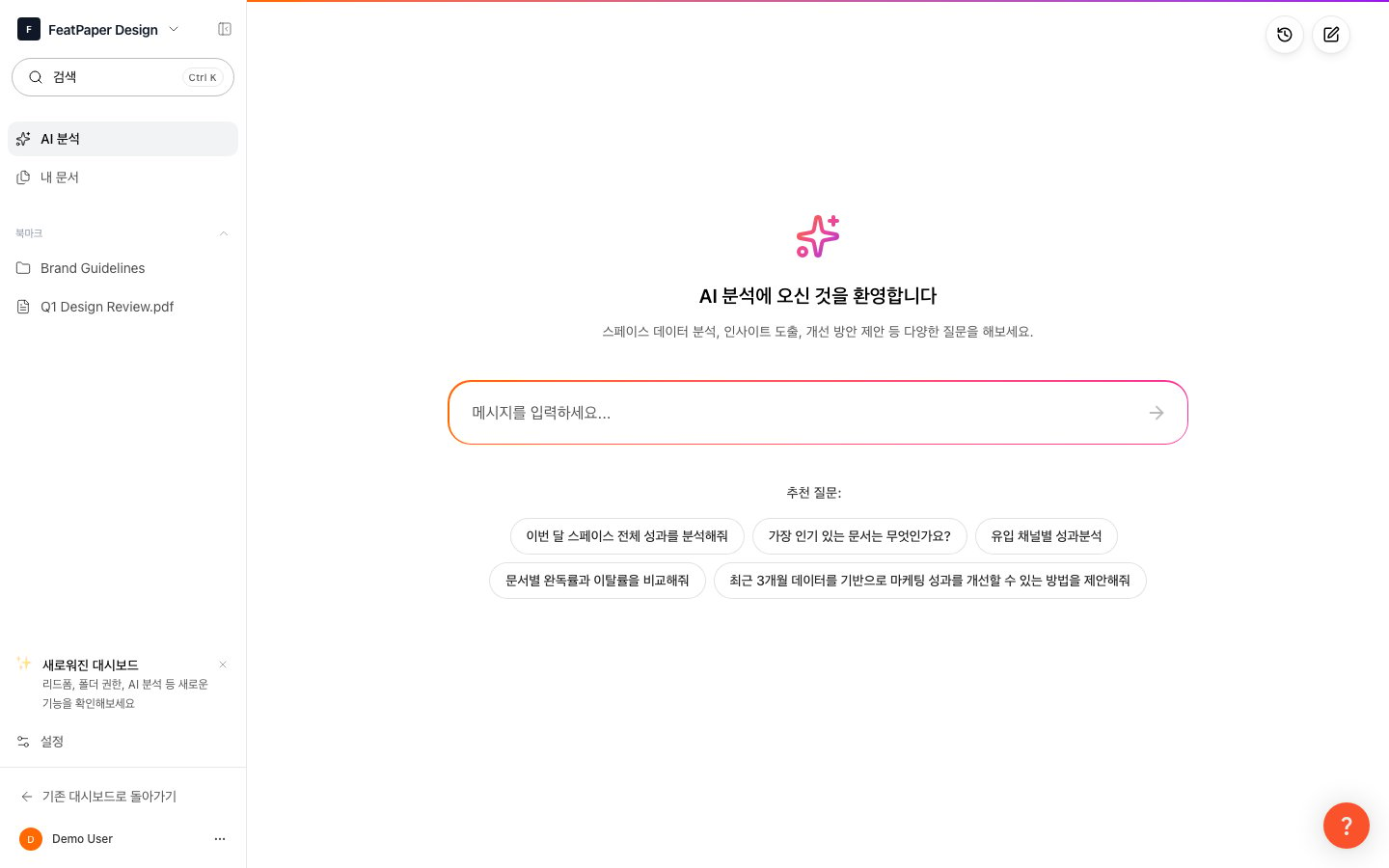
Use AI Analytics to review document performance summaries and ask follow-up questions
1
Go to AI Analytics
Click AI Analytics in the sidebar.
2
Review Analysis Summary
AI summarizes document performance based on viewing data. Quickly grasp key trends, popular pages, and viewing patterns at a glance.
3
Ask Follow-Up Questions
Ask the AI additional questions, such as “Which page is the most popular?” or “Who spent the most time reading?”
AI Analytics is available on the Pro plan and above and deducts credits when used.
Analytics Data Retention
Next Steps
Create a Share Link
Learn how to share documents and collect viewing data.
Version Management
Learn how to update documents while retaining analytics data.