
What is FeatPaper?
FeatPaper is a document management SaaS that lets you securely share PDF and PPT files and analyze who viewed which pages and when.- Upload documents and generate share links
- Track viewer behavior in real time
- Get AI-powered insights on document performance
- Manage documents with your team in a shared workspace
Overview
1
Sign Up and Log In
Get started instantly with your Google account.
2
Explore the Dashboard
Learn the sidebar structure and key menus.
3
Upload Your First Document
Create a folder, upload a document, and create a share link.
1. Sign Up and Log In
1
Go to FeatPaper
Open featpaper.com in your browser.
2
Log in with Google
Click the Continue with Google button. You will be redirected to Google authentication. Select your account to complete both sign-up and login at once.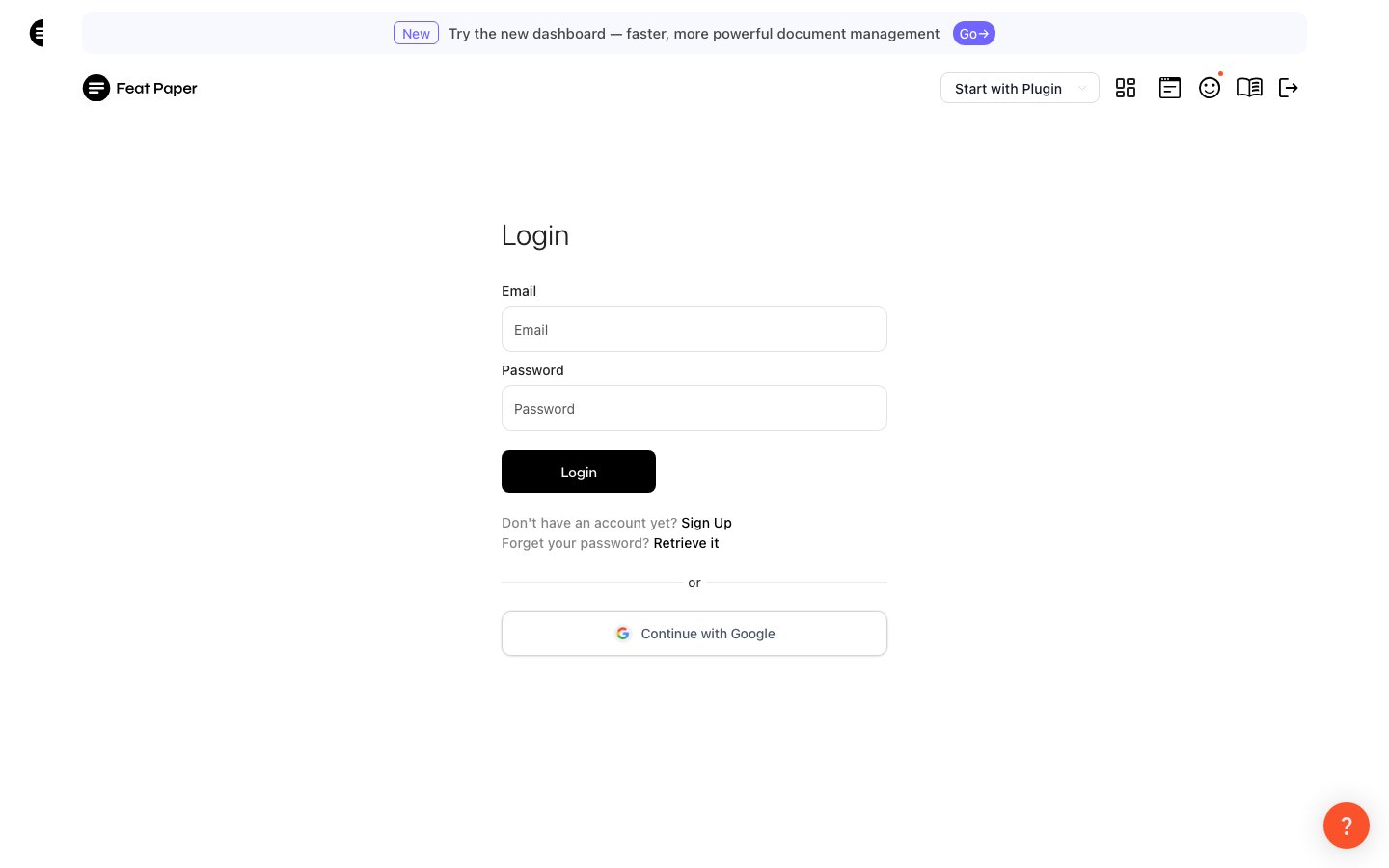
3
Create a Workspace
On your first login, you will create a workspace (Space). A workspace is where your team or project manages documents together.
2. Explore the Dashboard
After logging in, you will land on the dashboard. Use the left sidebar to access all features.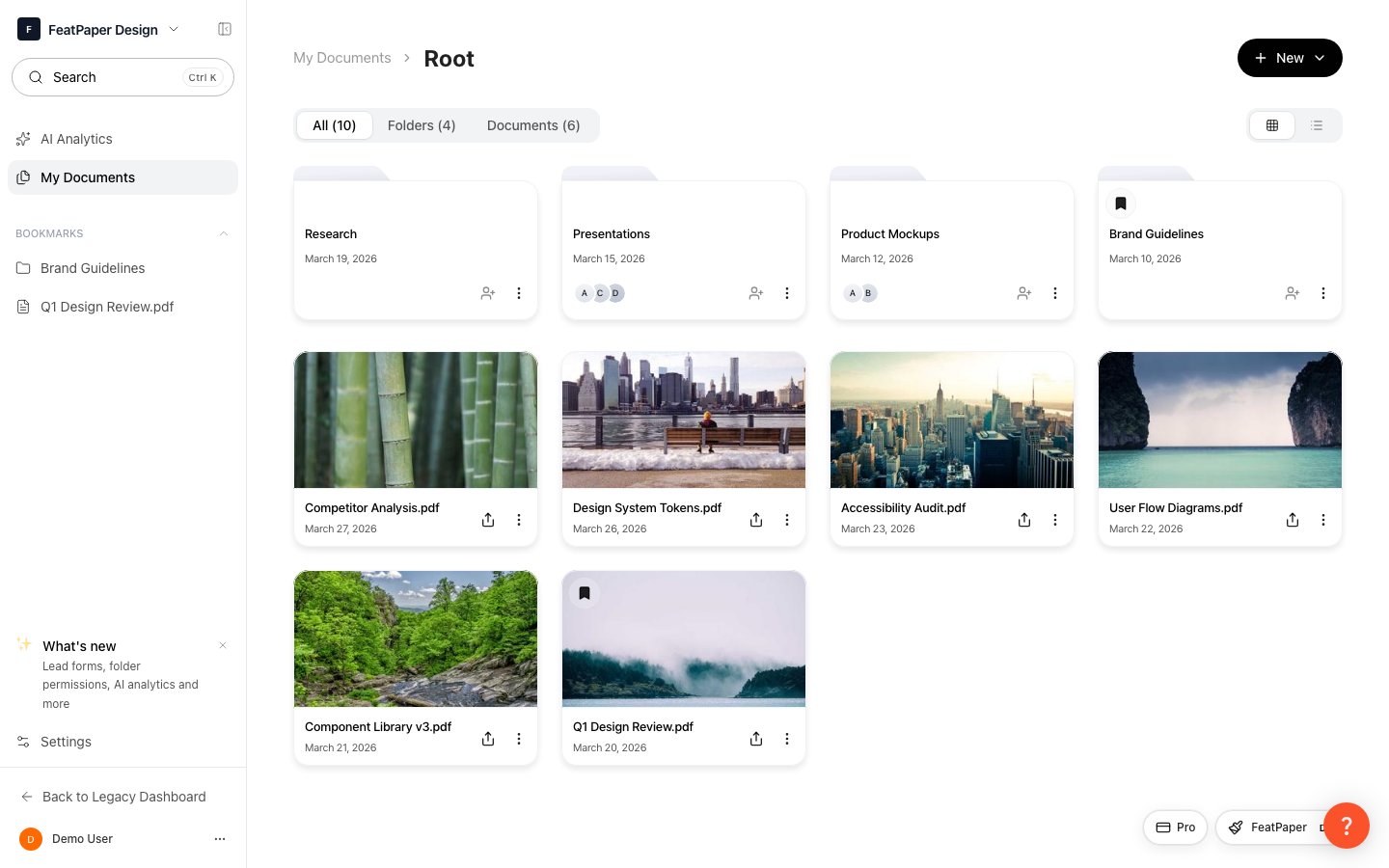
Manage your documents and team from the dashboard
Sidebar Structure
The sidebar is organized from top to bottom as follows:Access by Role
- Admin
- Member
Full access to all features: AI Analytics, Documents, and all Settings (members, branding, billing, custom domain, etc.).
Use the workspace switcher to move between multiple workspaces.
3. Upload Your First Document
1
Create a Folder
Click Documents in the sidebar to go to the Documents page. Click the + Create button in the top right corner and select New Folder, then enter a folder name.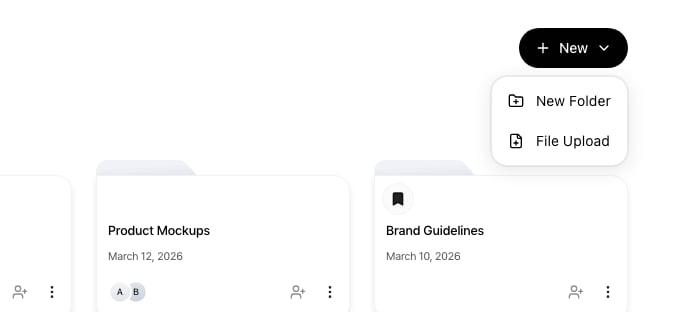
2
Upload a Document
Navigate into a folder first, then upload files. Drag and drop files into the upload area, or click to browse.Supported formats: PDF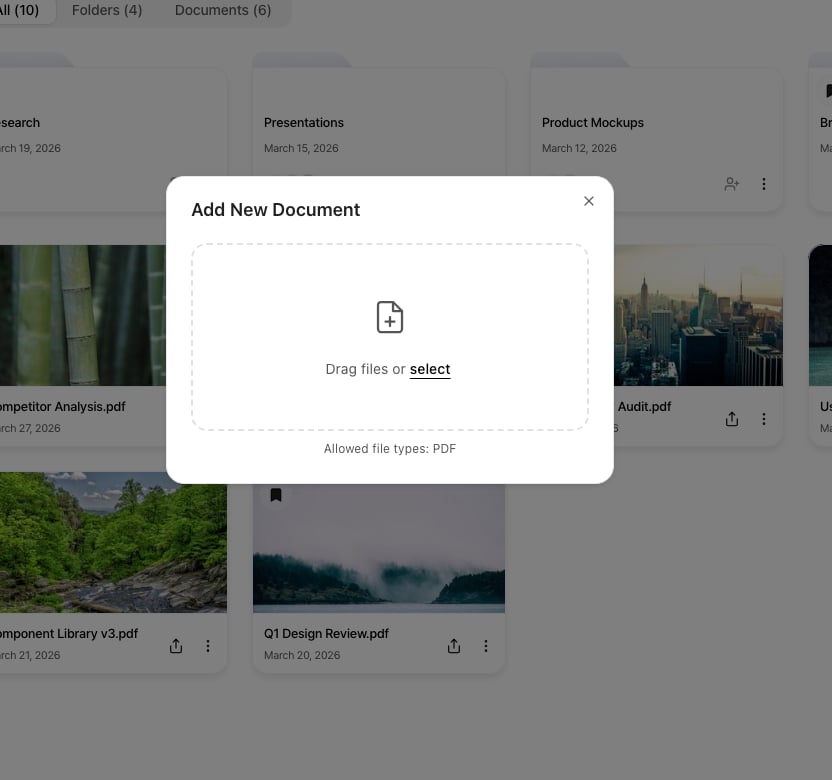
3
Upload Complete
Once uploaded, the document appears in your document list. Click it to generate a share link and configure viewing analytics.
Next Steps
Managing Your First Document
Learn the full flow from upload to share link to viewing analytics.
Creating Share Links
Learn how to securely share your documents.
Viewing Analytics
Explore document viewing data and AI insights.
Workspace Settings
Learn how to manage your workspace and team settings.
Plugins
Learn how to integrate with external tools like PowerPoint and Figma.