
What Are Share Links?
In FeatPaper, you can create a unique share link for each document to distribute it to external users. Recipients can view the document through the share link without needing to sign up for an account.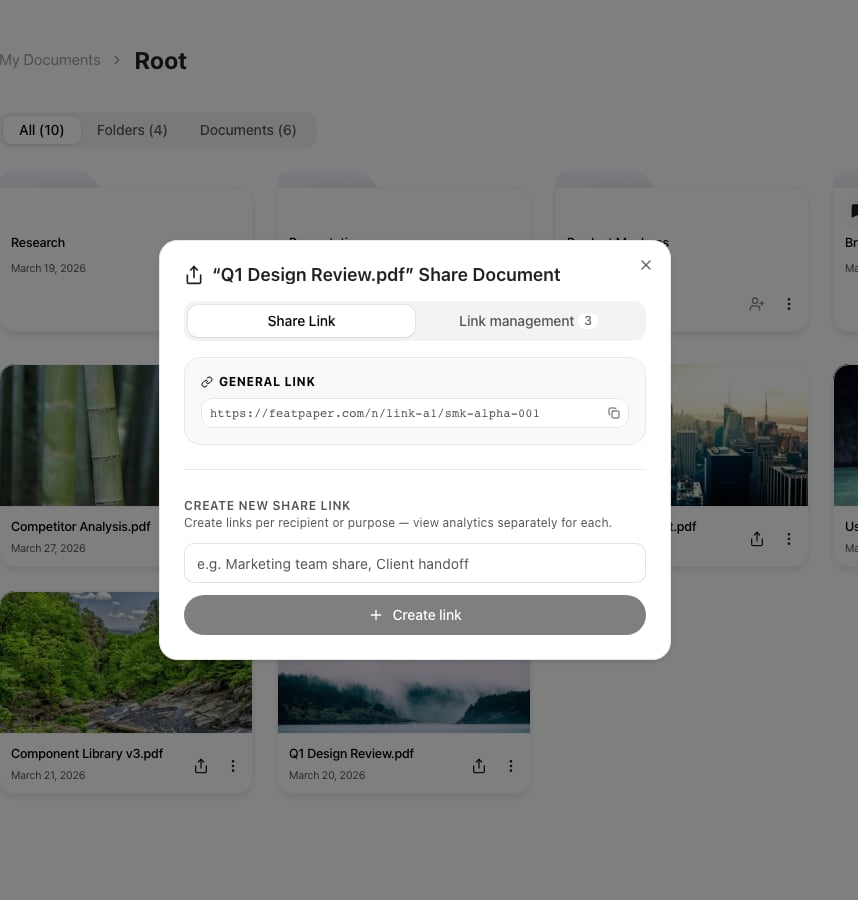
Create and manage links from the Share tab on the document detail page

Start link creation from the Share button at the top of the document detail page
Copying the Default Share Link
1
Select a Document
Click on the document you want to share to open the document detail page.
2
Click the Share Tab
Click Share in the top tab bar.
3
Copy the Link
Click the default share link shown at the top of the Share tab to copy the URL. You can then send it via email, messenger, or other channels.
Creating a Tracked Link
You can create Tracked Links that enable individual tracking per recipient. Assign a name to each link so you can easily identify which channel a visitor came from.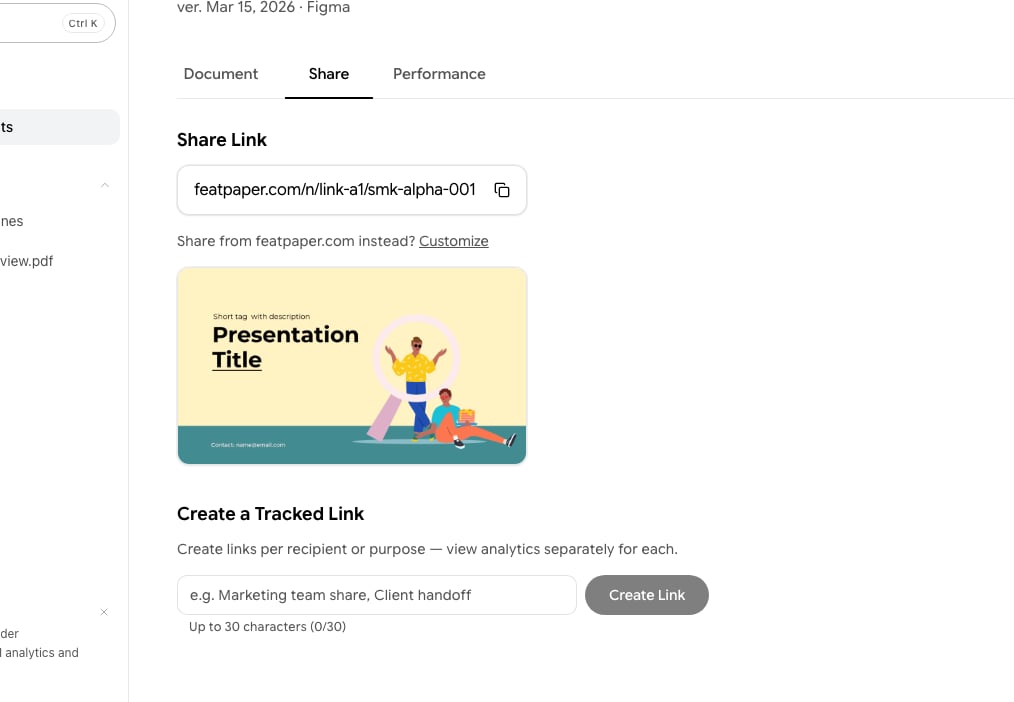
Create and manage tracked links from the share link settings area
1
Enter a Link Name
Type a name for the link (e.g., Marketing Team, Client A) in the input field under the Create Link section. Names can be up to 30 characters.
2
Create the Link
Click the Create button or press Enter to generate a unique link.
3
Copy and Send
Click the generated link to copy it, then send it to the intended recipient.
Free plan limitation: On the Free plan, you can create up to 3 tracked links per document. Once the limit is reached, the create button displays a padlock icon — clicking it shows a plan upgrade prompt. On the Pro plan and above, you can create unlimited tracked links.
Understanding Link Types
FeatPaper’s share links are automatically assigned the appropriate type based on how you share. You don’t need to manually select a link type, but understanding each type helps when analyzing tracking data.Legacy
/v/ dedicated links are maintained for backward compatibility. Newly generated dedicated links use the /u/ path.